Radio control
RigPi uses Hamlib to control supported radios. Many connect by USB; radios with serial or CI-V control need the appropriate adapter. Frequency, mode, PTT and other available controls depend on the radio and its Hamlib support.
A Raspberry Pi running RigPi sits beside your radio. It connects your station to a browser, whether you are across the shack or away from home.
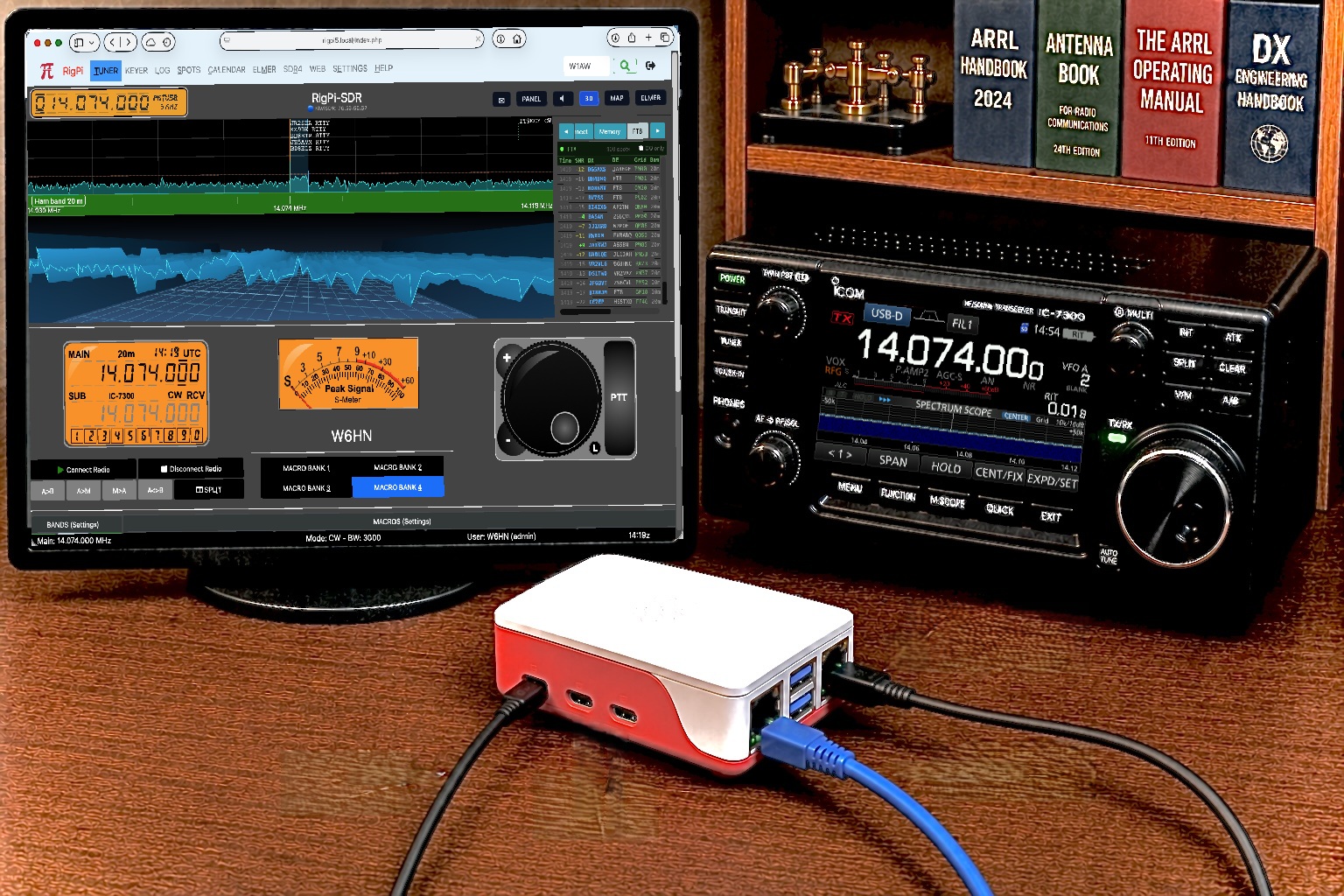
The Pi does the station-side work. Your browser provides the controls, display and sound.
Transceiver · SDR & antenna
Optional CW keyer & rotor
Radio control · Browser audio
RigPi-SDR · Station tools
User
accounts & settings
Desktop · Laptop
Tablet · Phone
Speaker/headset &
microphone
Controls travel toward the station; status, spectrum and receive audio return to the browser. Microphone audio travels back to a configured transceiver.
Start with your radio. Add audio, a keyer, a rotor or an SDR as your operating needs grow.
RigPi uses Hamlib to control supported radios. Many connect by USB; radios with serial or CI-V control need the appropriate adapter. Frequency, mode, PTT and other available controls depend on the radio and its Hamlib support.
Receive audio reaches your browser from the SDR or the radio’s audio interface. Your browser microphone can send voice audio back to a configured radio USB CODEC or supported external USB audio interface. CAT control and audio are separate connections, even when one USB cable carries both.
Use a supported RigPi or K1EL keyer, or radio CAT keying where available. CW controls and messages are accessible through RigPi; paddle operation needs the appropriate local or remote keying arrangement.
Programs such as WSJT-X, JS8Call and Fldigi run at the Pi with configured audio and radio control. RigPi-SDR also provides built-in FT8/FT4 receive decoding. Some digital workflows use the Pi desktop, alongside the browser controls.
Connect a supported rotor controller to RigPi and turn the antenna from the browser. An adapter may be needed; available controls depend on the controller and Hamlib support.
A supported local SDR or remote receiver supplies spectrum, waterfall and receive audio. With radio synchronization configured, the SDR view and your transceiver can follow one another as you tune.
The same station interface works from different operating positions.
Connect your browser device to the same network as RigPi and open the Pi’s local address. Your desktop, tablet or phone becomes another operating position.
Configure secure remote access to the Pi, then sign in from your browser. RigPi supports connection options including Cloudflare Tunnel and private networking with ZeroTier. Remote microphone audio requires HTTPS; private networking may require a client on the device.
The radio, antenna and station interfaces remain connected at home. A dependable network connection keeps control and audio responsive.
RigPi brings an Elmer into the shack: help with questions, spoken interaction, and everyday station commands.
Ask about RigPi setup, troubleshooting or amateur radio in everyday language. Elmer draws on RigPi Help and other reference sources, identifies its sources, and can use available station information to help explain what is happening.
Tap Elmer PTT to ask a question or give a command by voice, then tap again when finished. Hear answers read aloud, or use live captions to transcribe and translate received audio. No wake phrase is needed.
Type or speak commands from the Tuner or Keyer control drawer: “Tune to FT8 on 20 meters,” “Set CW speed to 22,” or “Split up 5 kHz.” Elmer shows proposed changes for confirmation when required, and checks the result when possible. You stay in control.
Elmer uses an internet connection and the connected RigPi Elmer Service. No ChatGPT subscription, OpenAI account or personal API key is required. Voice input needs browser microphone permission and a secure browser connection; use HTTPS for remote operation.
RigPi accounts let multiple operators use the station, with their own settings and operating preferences.
Configure multiple radios and SDRs for different operating positions, or share a supported radio between accounts. Several browsers can connect from different devices. Users sharing a physical radio share its tuning and transmit state; users sharing an SDR remain within its capture range unless the receiver is retuned. Plan station access accordingly.
See activity while you control the station. Tune from the spectrum, hear a signal, watch FT8 decodes, and return to saved memories.
Open RigPi-SDR on its own, or place it within the Tuner or Keyer page. Your account remembers your display and operating settings.
Explore RigPi-SDR →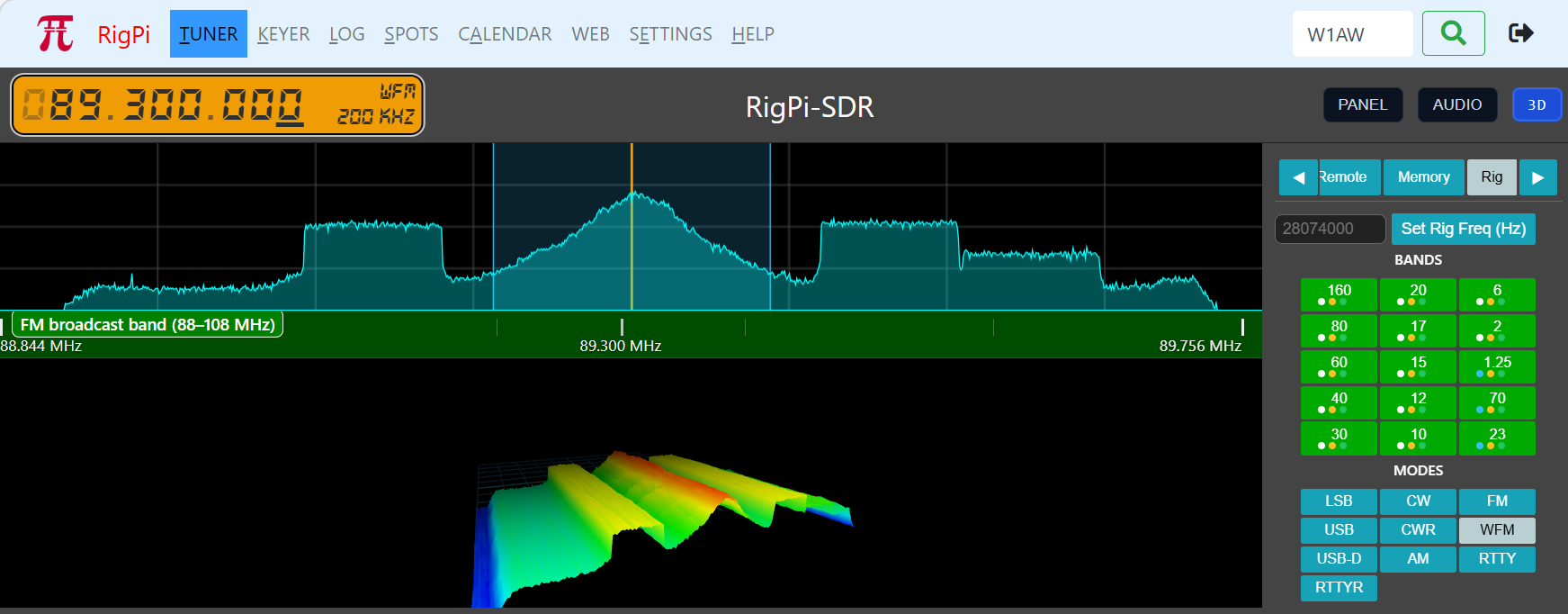
Build the station a piece at a time.
RigPi is free, open-source software running on a Raspberry Pi you control. Normal station control and SDR listening use a browser.
Explore the SDR features, or find the software and setup help.